Product Design Mobile Web App 2026

Windowsill
A quiet window to the people you miss.

A shared window for long-distance couples and families. Each side shows the other person's real sky and time, with a sill in between for notes and small gestures that arrive exactly when they matter.

SoloDesigner and builder
2026Timeline
Web appInstallable on any device
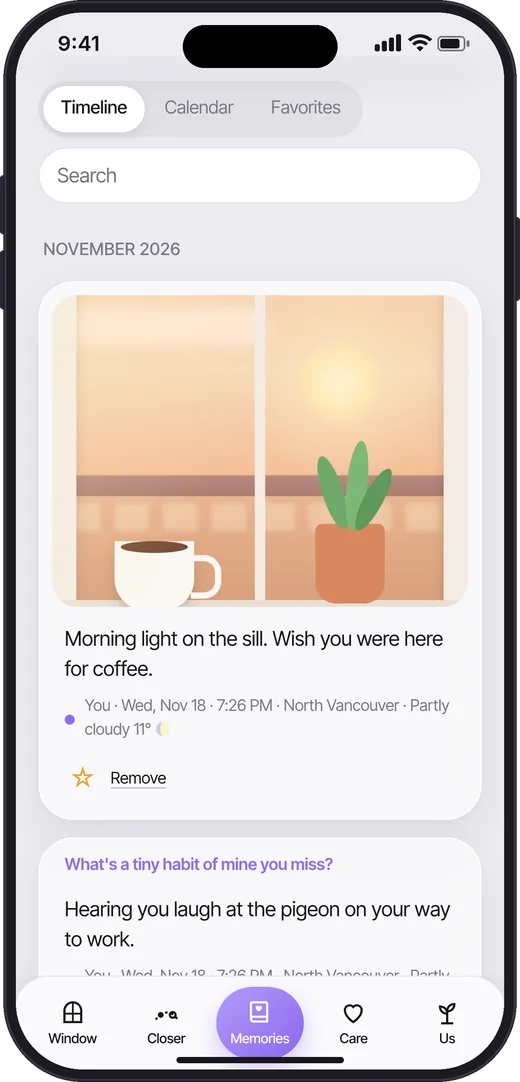
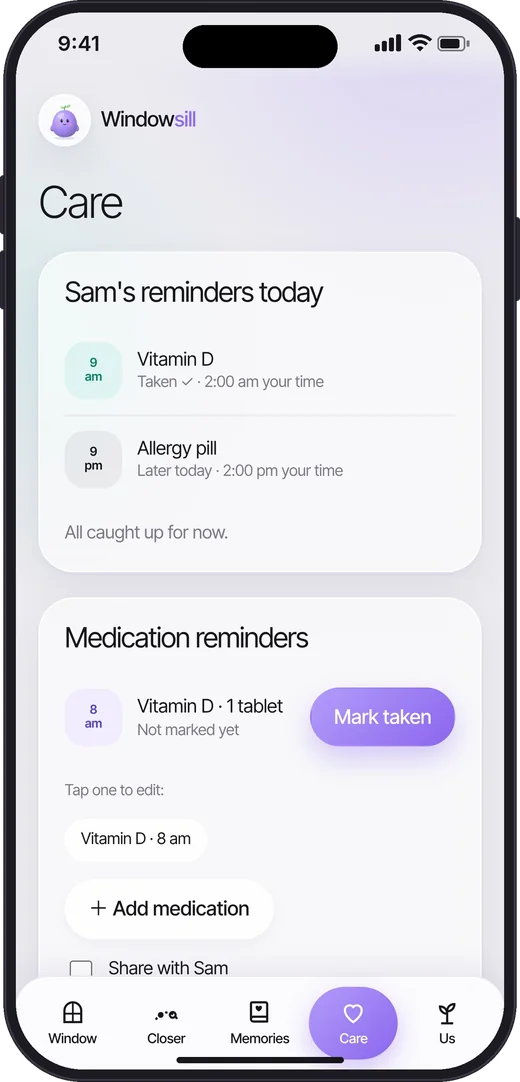
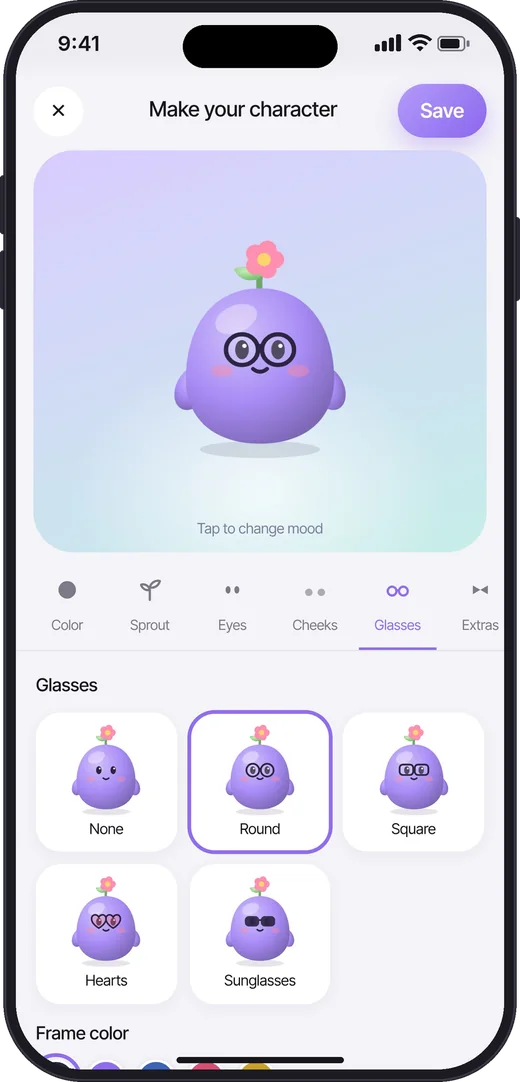
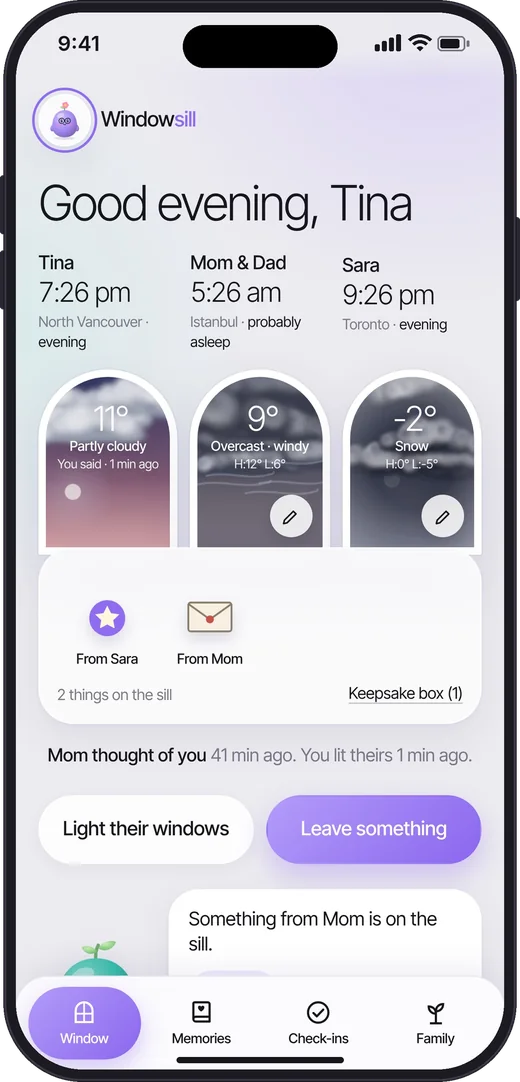
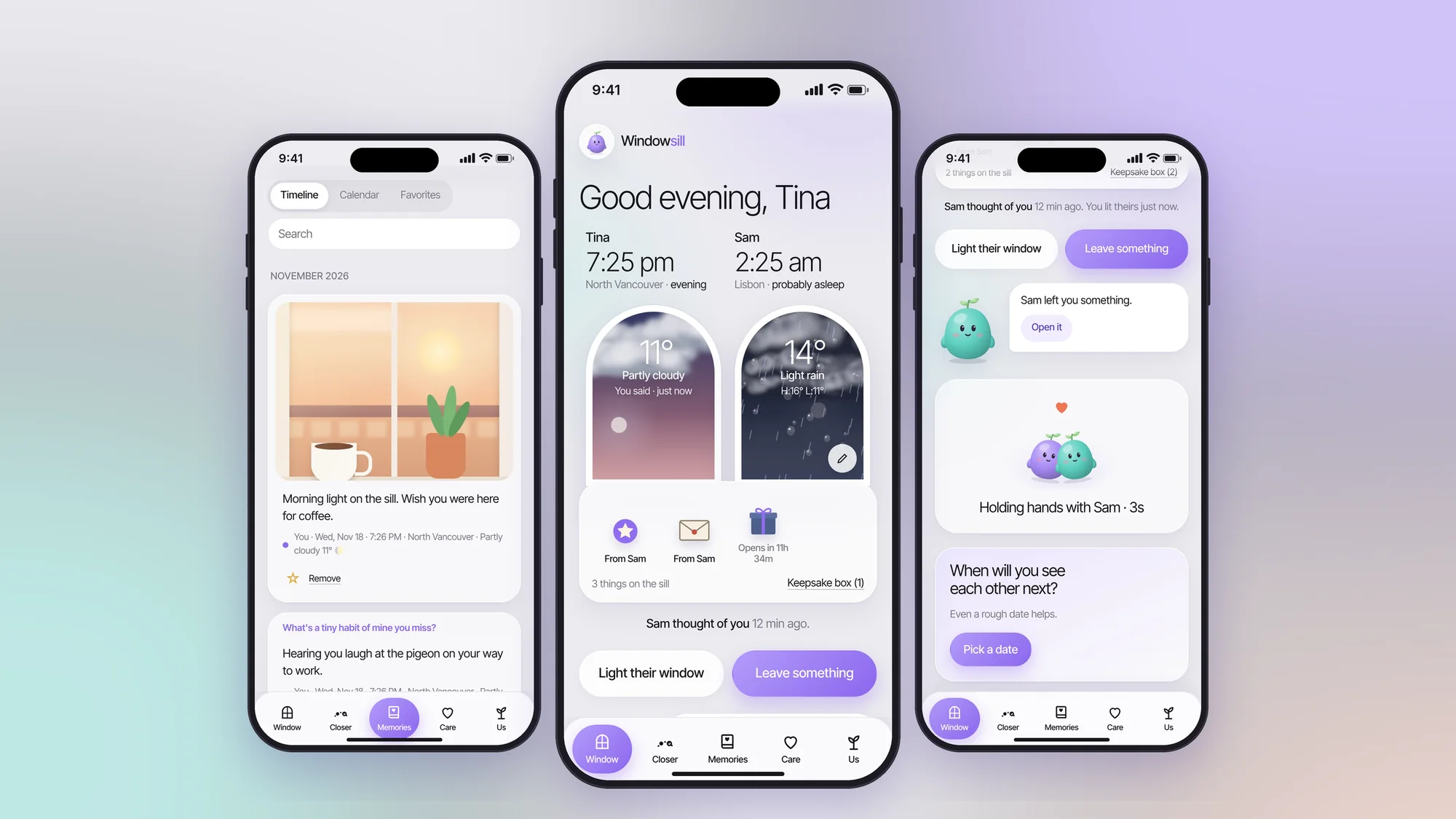
Three phones showing the shared window, a journal entry and holding hands
The Story

Distance is about more than missing a person. It is about missing their day.

Couples and families who live apart already have chat, video calls and shared calendars. Those tools answer "What did you say?" well, but not "What is your day like right now?" Across time zones it gets harder: you rarely know whether a message will wake someone, or whether they are free to talk.

I set out to design something gentler than a messenger. Windowsill borrows a familiar image: you look out of your window, knowing the person you miss is looking out of theirs. There is no feed to scroll. You simply see their sky, their time and the small things they left for you.

Audience

Who it's for

I began with couples, then added a family version once the core ideas had proved themselves. Each person can have both: one window for their partner and a separate one for their family.

Principles

Four principles shaped every screen.

  1. Show, do not ask. Presence comes from the sky and the clock, not from status messages, so you feel where someone is in their day without asking them to type a word.
  2. Time is a gift. What you leave can wait for the right moment, such as the minute they wake up, so small gestures arrive when they matter.
  3. Quiet by default. No feeds, no streaks and no pressure to reply. Notifications respect each person's sleep.
  4. Privacy is a feature. Personal and health details stay private unless the person chooses to share them, and research data is anonymous.
Process

I treated each working build as my research tool.

Designing alone, I built a clickable version early and used it on my own phone every day. Whenever something felt wrong in my hand, I changed course. The app grew from a single-page prototype into a standalone installable app, and then into an invite-only pilot. I chose the web so I could test on real phones from day one, without waiting on an app store.
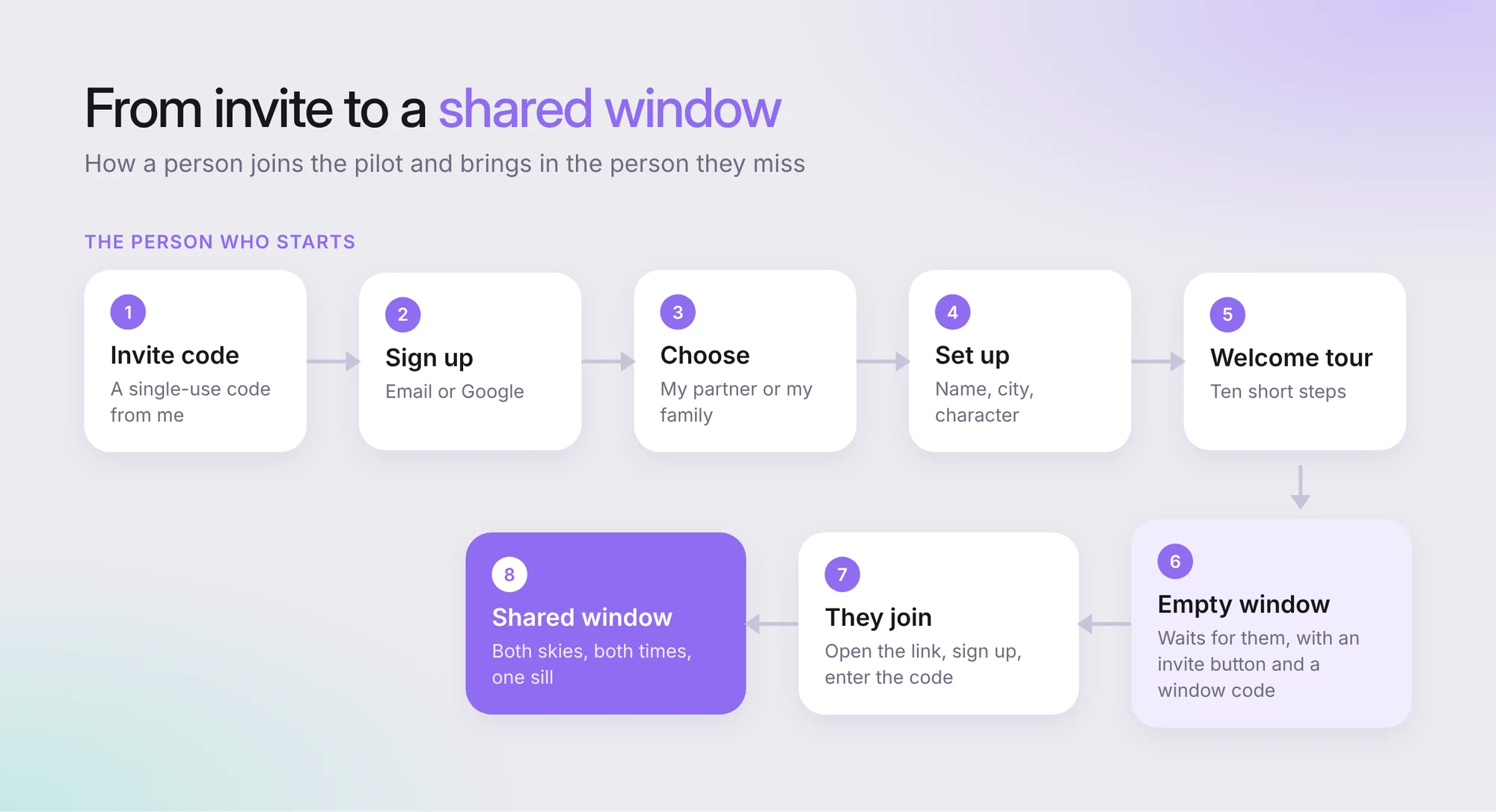
Eight steps from invite code to shared window
From invite to a shared window
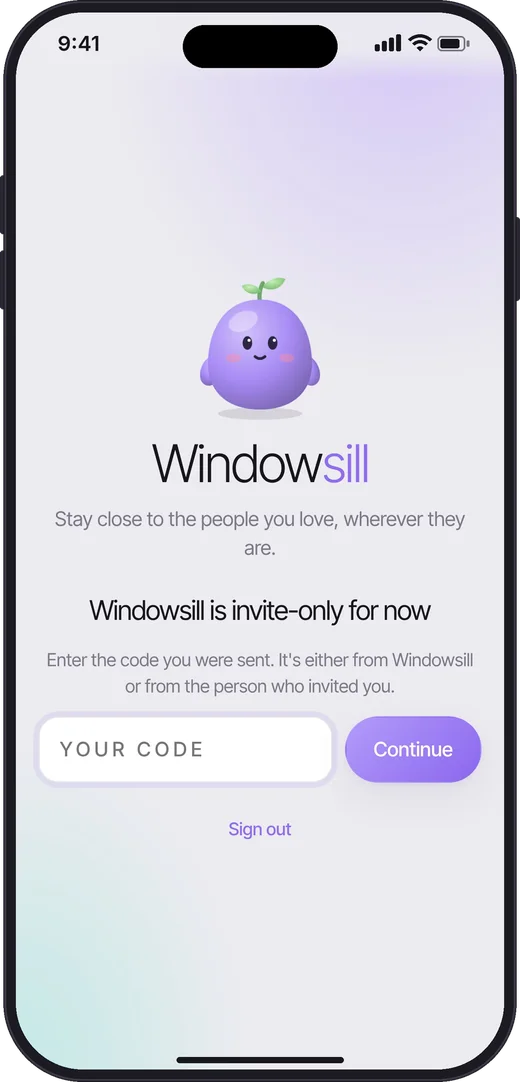
How a person joins the pilot and brings in the person they miss
The person who starts
1
Invite codeA single-use code from me
2
Sign upEmail or Google
3
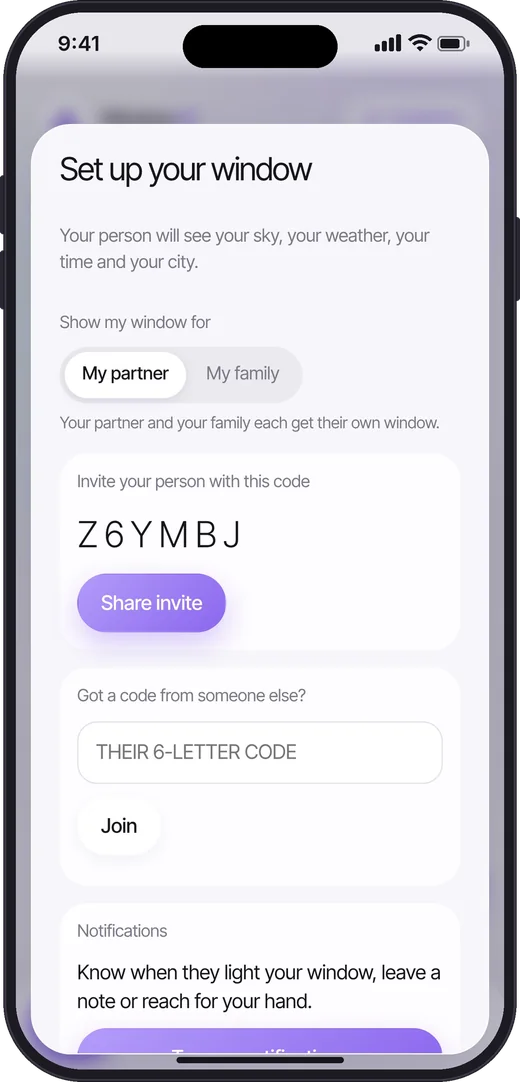
ChooseMy partner or my family
4
Set upName, city, character
5
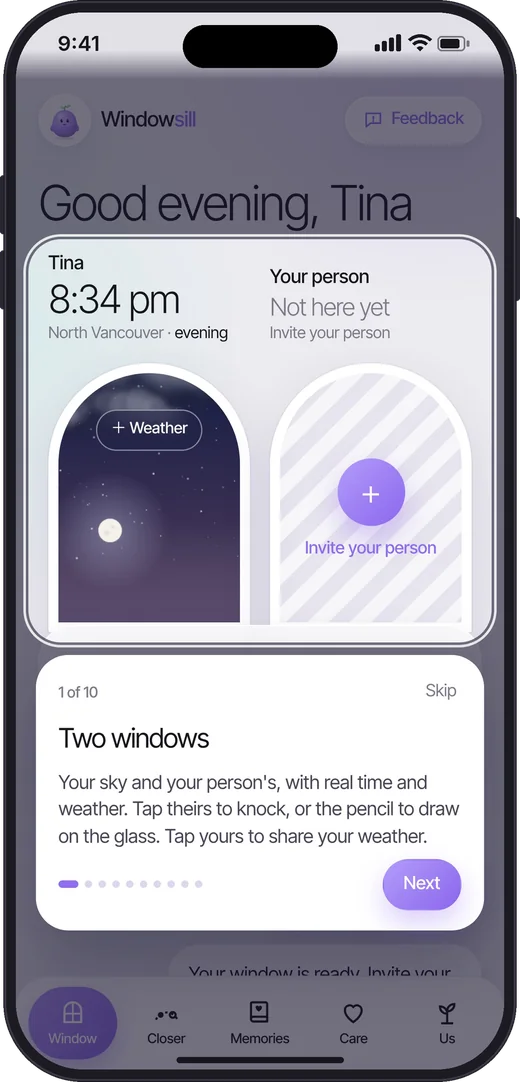
Welcome tourTen short steps
6
Empty windowWaits for them, with an invite button and a window code
7
They joinOpen the link, sign up, enter the code
8
Shared windowBoth skies, both times, one sill
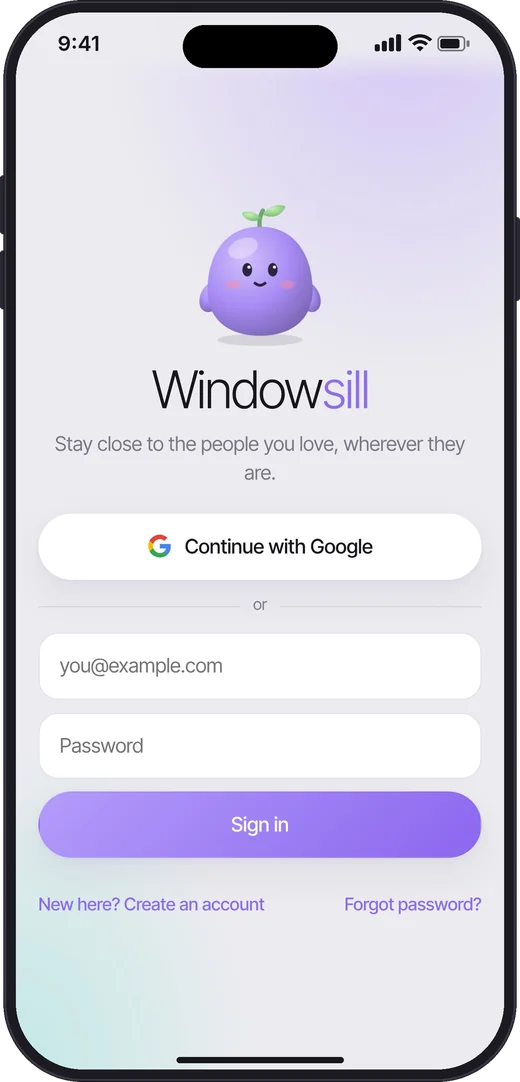
Sign in
Sign in
Invite code
Invite code
Set up
Set up
Welcome tour
Welcome tour
Key Features and Decisions

Five tabs, one home.

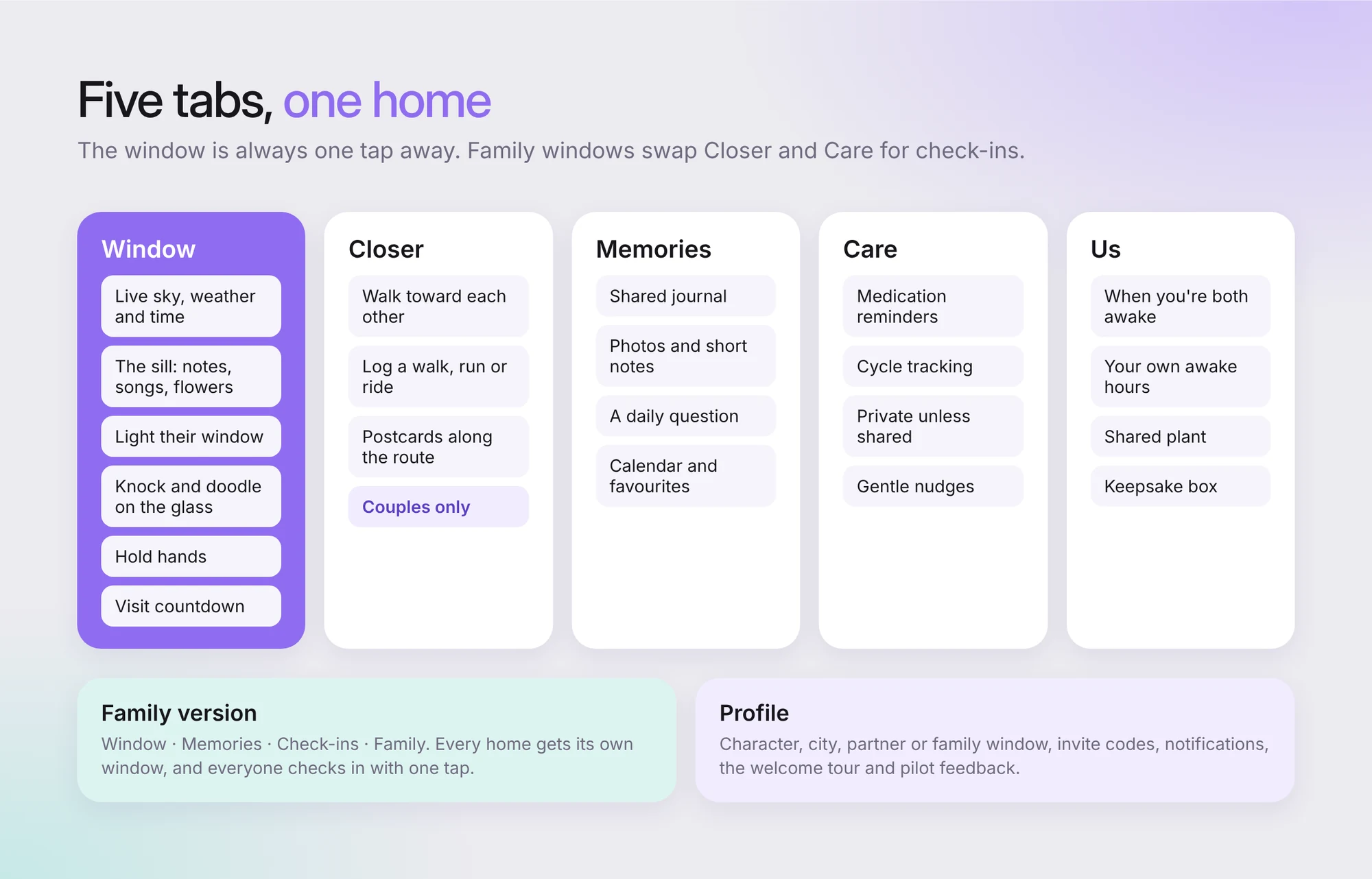
Five tabs and what lives in each
Five tabs, one home
The window is always one tap away. Family windows swap Closer and Care for check-ins.
Window
Live sky, weather and timeThe sill: notes, songs, flowersLight their windowKnock and doodle on the glassHold handsVisit countdown
Closer
Walk toward each otherLog a walk, run or ridePostcards along the routeCouples only
Memories
Shared journalPhotos and short notesA daily questionCalendar and favourites
Care
Medication remindersCycle trackingPrivate unless sharedGentle nudges
Us
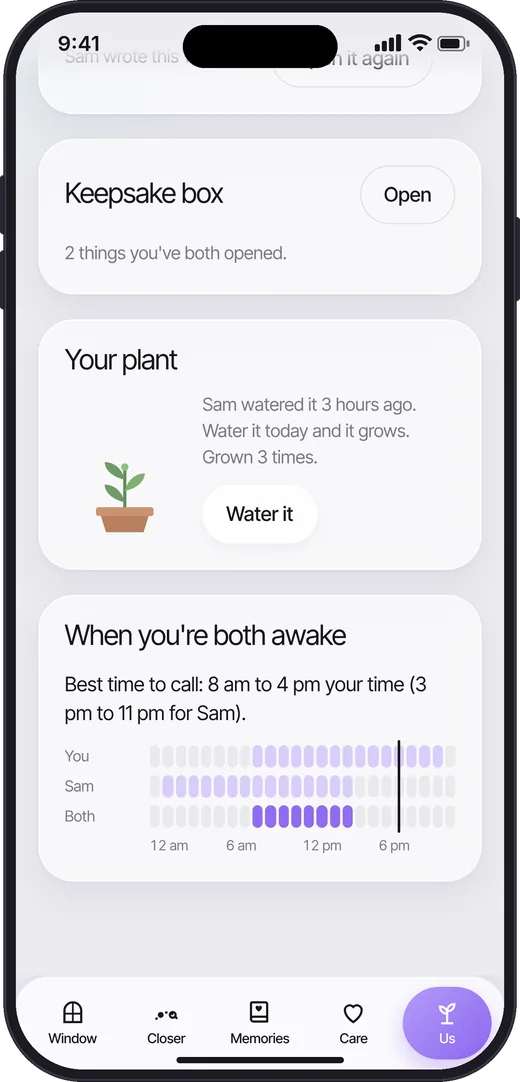
When you're both awakeYour own awake hoursShared plantKeepsake box
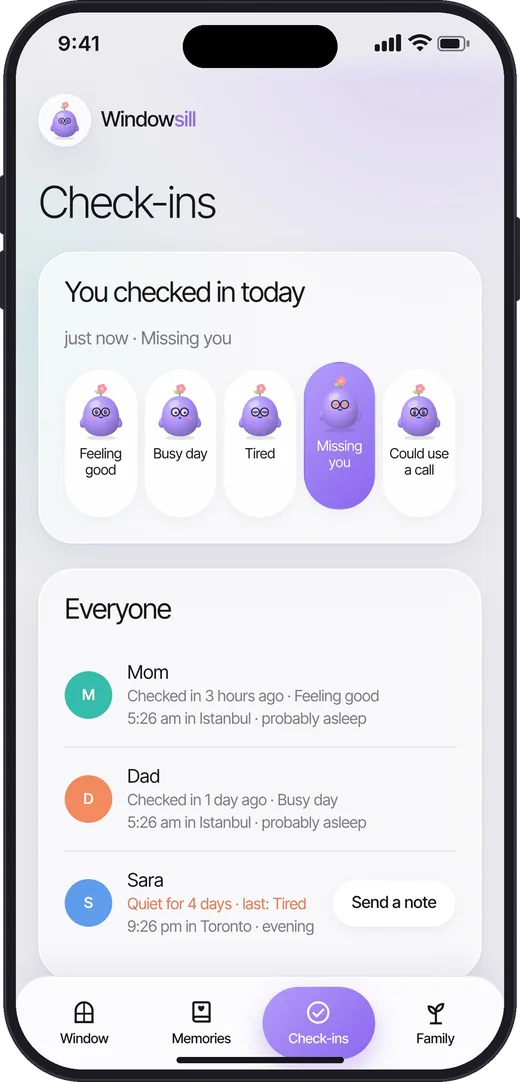
Family versionWindow · Memories · Check-ins · Family. Every home gets its own window, and everyone checks in with one tap.
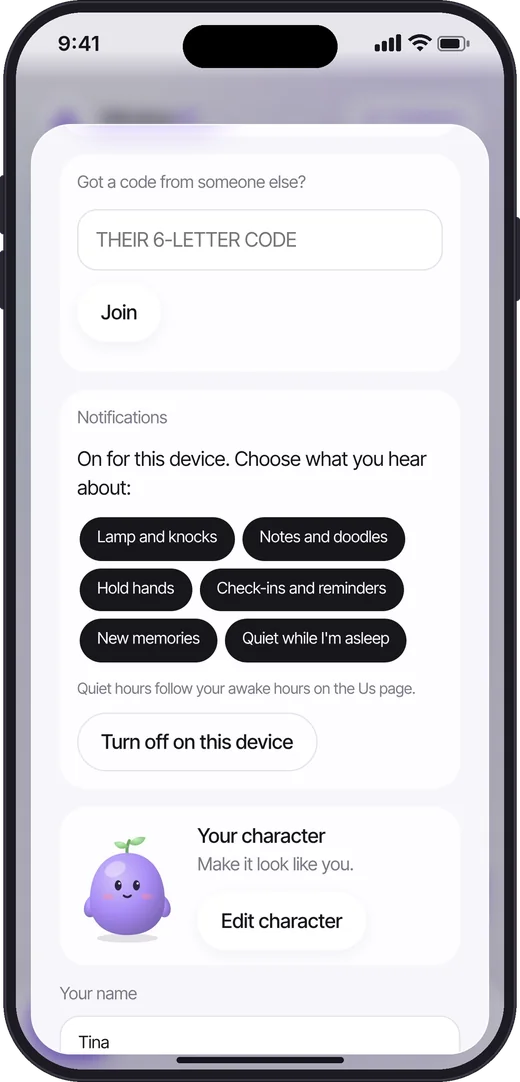
ProfileCharacter, city, partner or family window, invite codes, notifications, the welcome tour and pilot feedback.

Windows instead of a feed. Each person appears as an arched window showing their real sky, weather and local time. A label such as "probably asleep" tells you at a glance whether it is a good time to call. It replaced a status line that people would have had to update by hand.

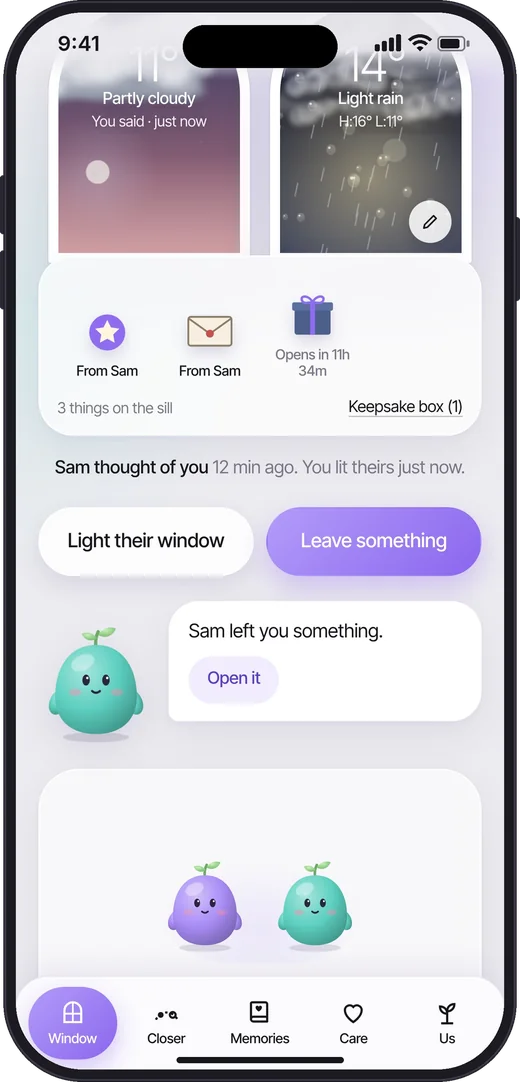
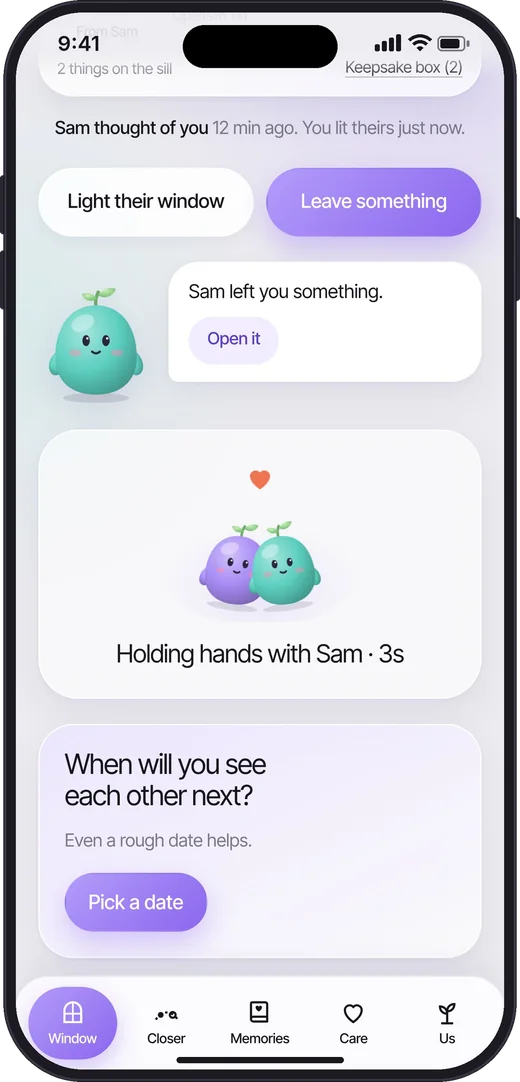
A light, not a message. One tap on "Light their window" makes the other person's window glow. It says "thinking of you" without words and without any need to reply.

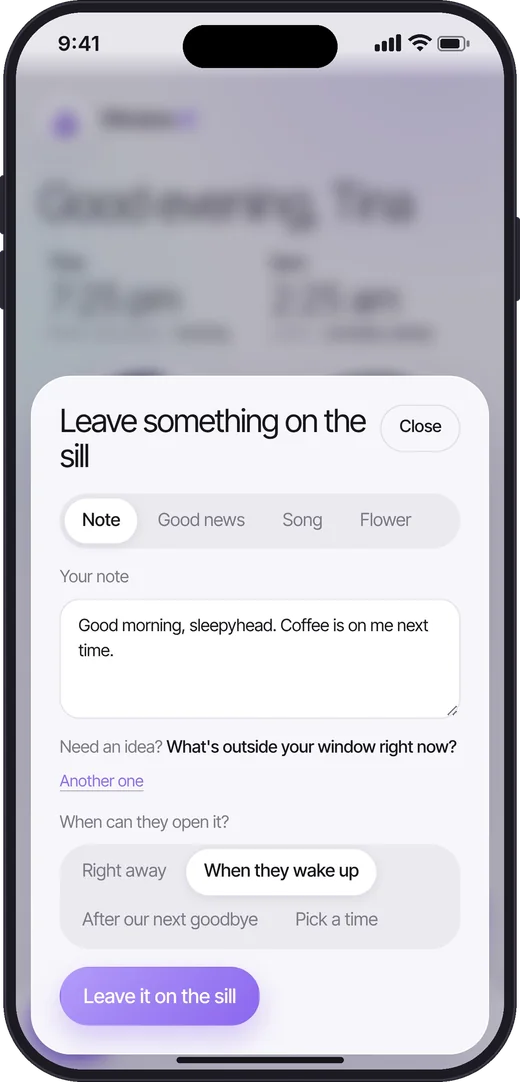
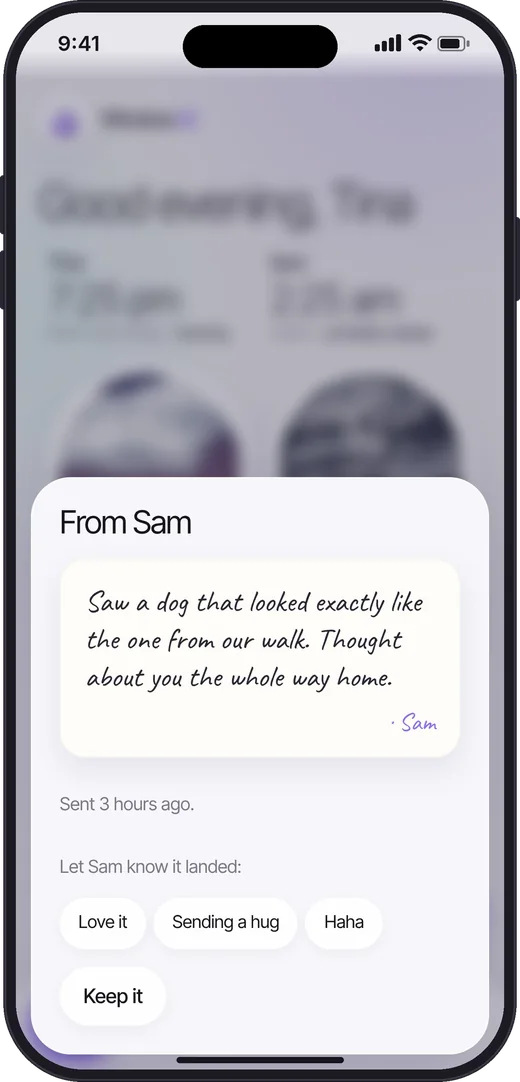
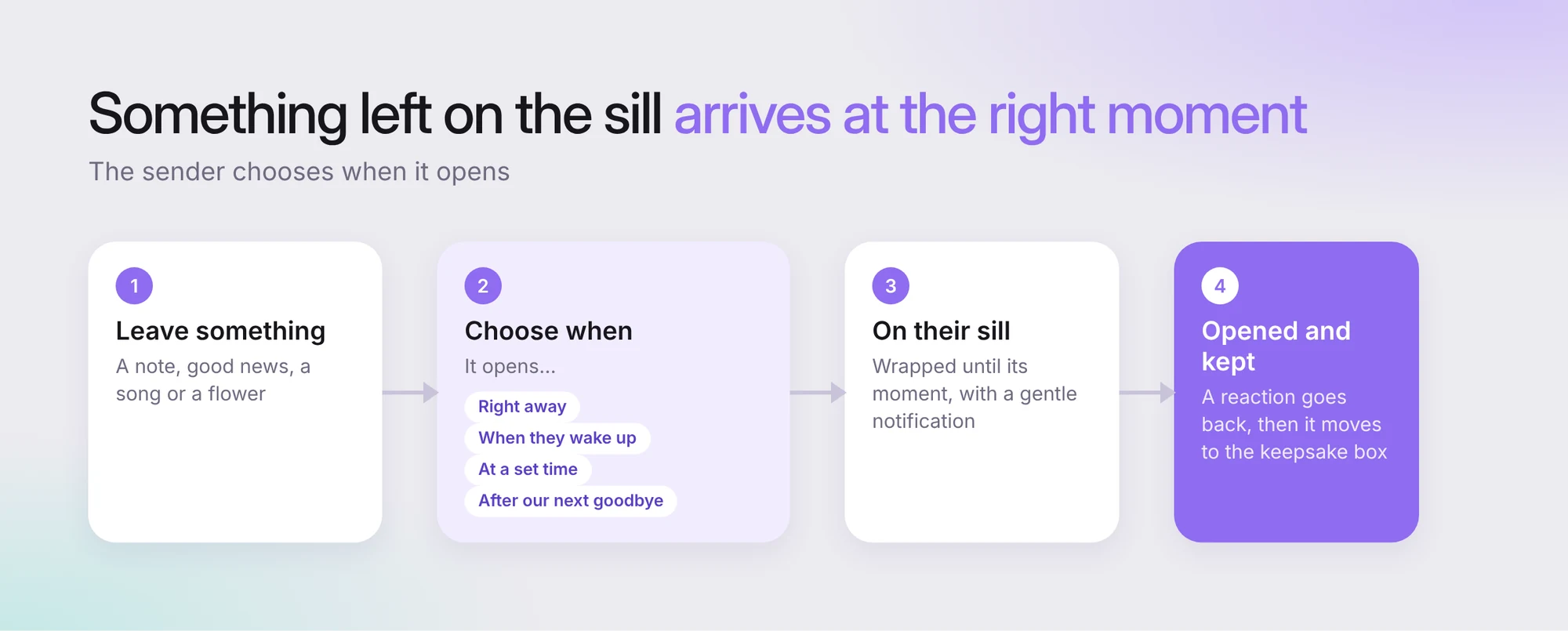
A sill for things that wait. Notes, songs, flowers and good news rest on a shared ledge. The sender chooses when each one opens: right now, when the other person wakes up, at a set time or after a goodbye. Once opened, items move to a keepsake box.
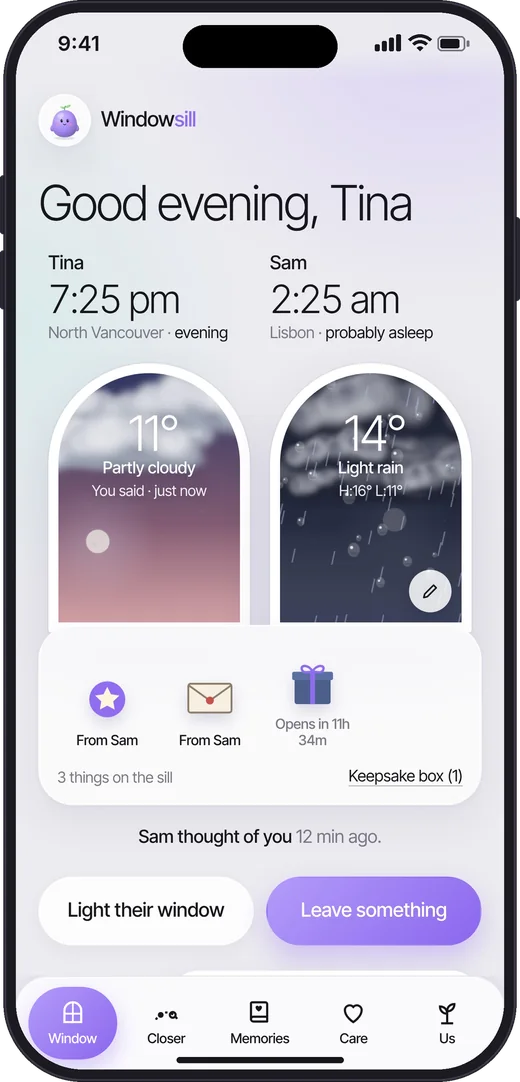
Windows
Windows
A light
A light
Leave a note
Leave a note
Open a note
Open a note
How something left on the sill arrives at the right moment
Something left on the sill arrives at the right moment
The sender chooses when it opens
1
Leave somethingA note, good news, a song or a flower
2
Choose whenIt opens...
Right awayWhen they wake upAt a set timeAfter our next goodbye
3
On their sillWrapped until its moment, with a gentle notification
4
Opened and keptA reaction goes back, then it moves to the keepsake box

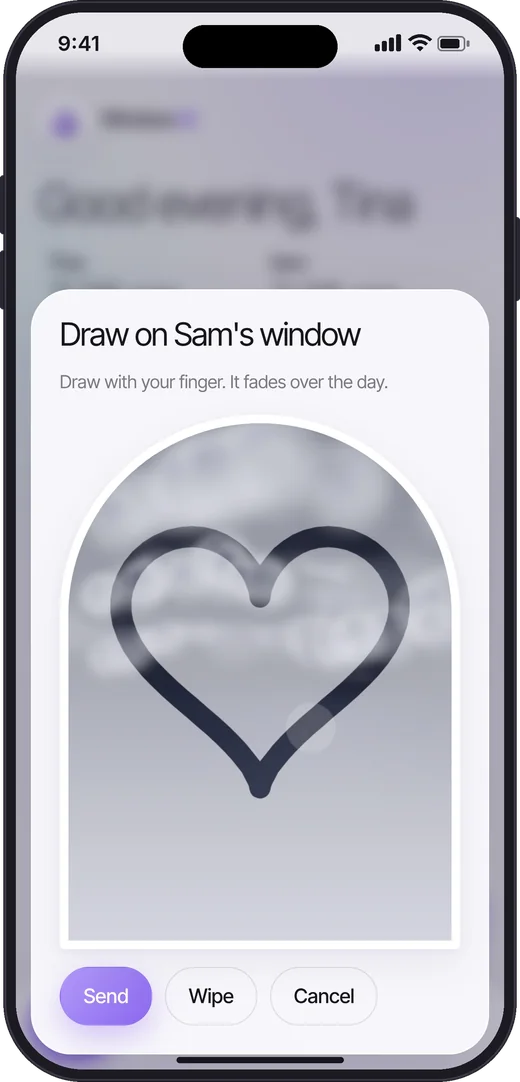
Touch without typing. When both people press "Hold hands", their phones buzz together like a heartbeat. Knocking and drawing on the glass are other ways to say hello, and doodles fade over the course of the day.

Know when you're both awake. The Us page compares both people's awake hours and suggests the best time to call. Because each person sets their own hours, a night owl and an early riser both get honest suggestions.
Hold hands
Hold hands
Doodle
Doodle
Awake hours
Awake hours

Also in the app

Memories
Memories
Care
Care
Character
Character
Family
Family
Check-ins
Check-ins
Notifications
Notifications
Pilot Test Setup

I built the pilot to learn from people without collecting anything personal.

Who can see what, and what research data never includes
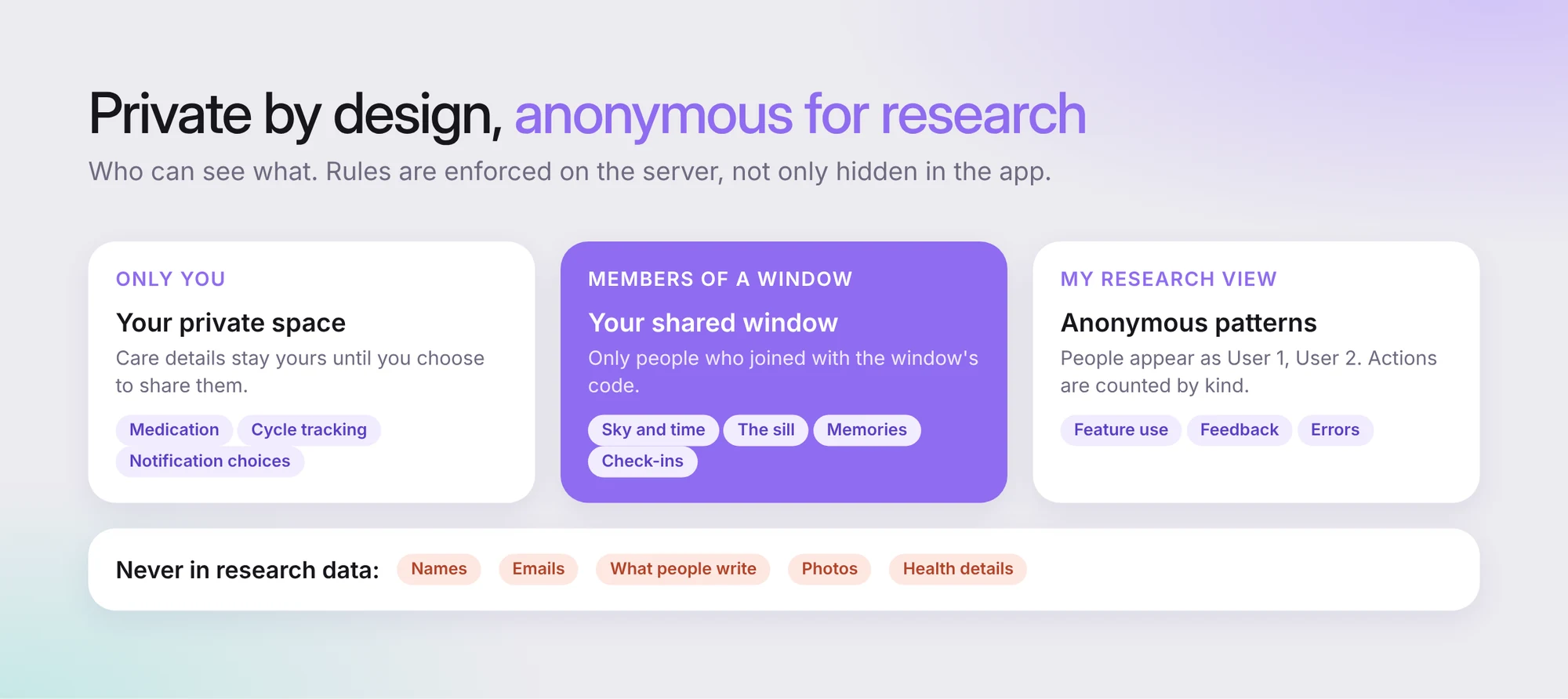
Private by design, anonymous for research
Who can see what. Rules are enforced on the server, not only hidden in the app.
Only you
Your private space
Care details stay yours until you choose to share them.
MedicationCycle trackingNotification choices
Members of a window
Your shared window
Only people who joined with the window's code.
Sky and timeThe sillMemoriesCheck-ins
My research view
Anonymous patterns
People appear as User 1, User 2. Actions are counted by kind.
Feature useFeedbackErrors
Never in research data
NamesEmailsWhat people writePhotosHealth details
Looking Ahead

What the pilot will tell me next.

Windowsill is live in an invite-only pilot, and what testers actually do will shape the next version. The plan from here:

  1. Learn from the pilot. Which gestures people return to, where they get stuck in the welcome tour and what they ask for.
  2. Turn on notifications and photo uploads.
  3. Publish a privacy policy that covers the anonymous research data.
  4. Prepare a public launch, then an App Store version.

What building it taught me